How to Undo committed code in deleted branch
sometimes, we commit the code into a branch which is deleted remotely but available in local, and when we push the committed code, it throw error , so here is very easy steps to revert the changes from VS Code and preserve and commit in other branch.
- Go to VS Code SCM option ( from where you commit the code within VS Code)
- Go To
...andCommits>Undo Last Commit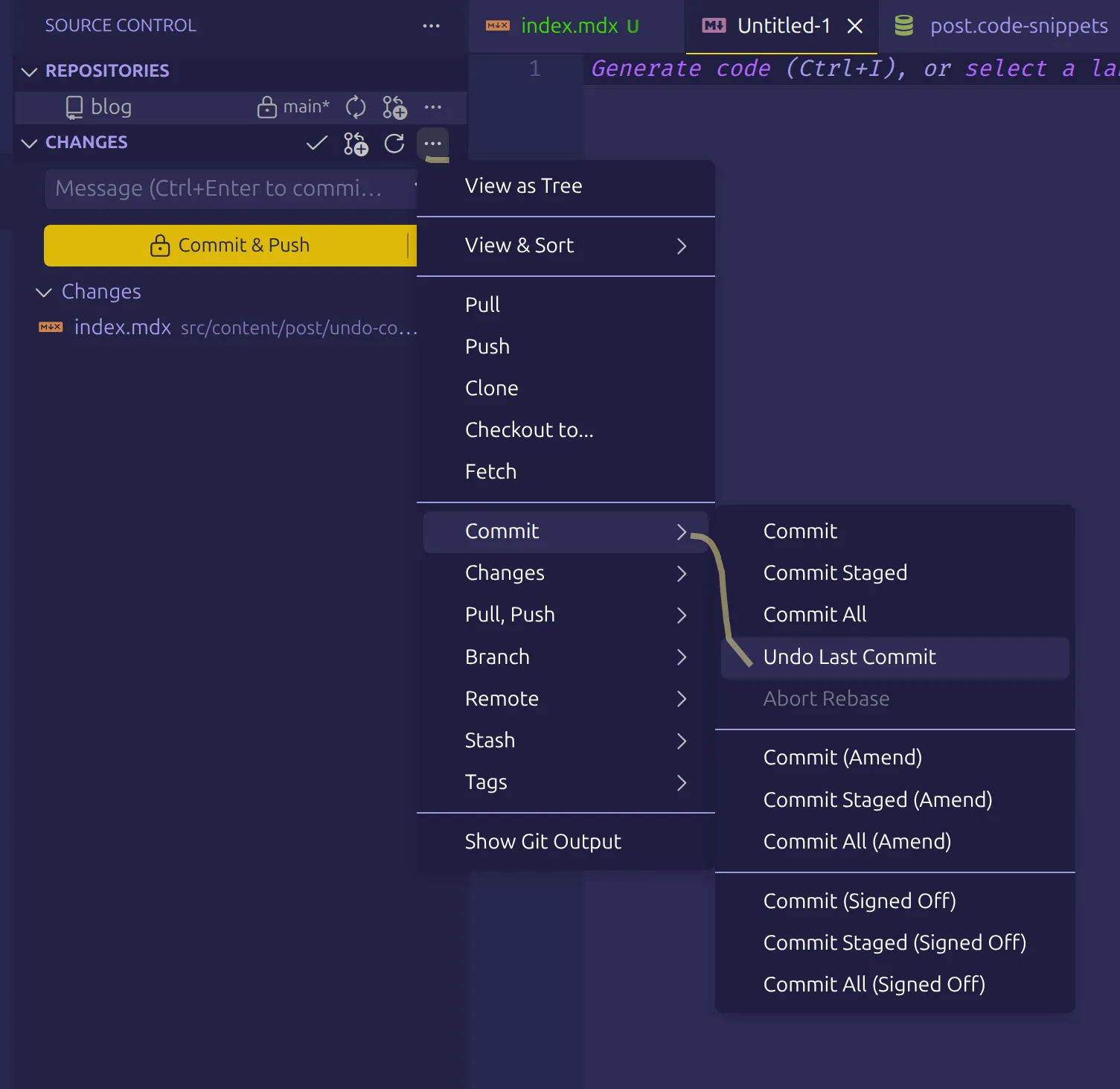
- now your commit has been reverted and available under Changes Panel
- now stash these changes to commit in another branch
- to stash again click on
...>Stash>Stash (Included Untracked)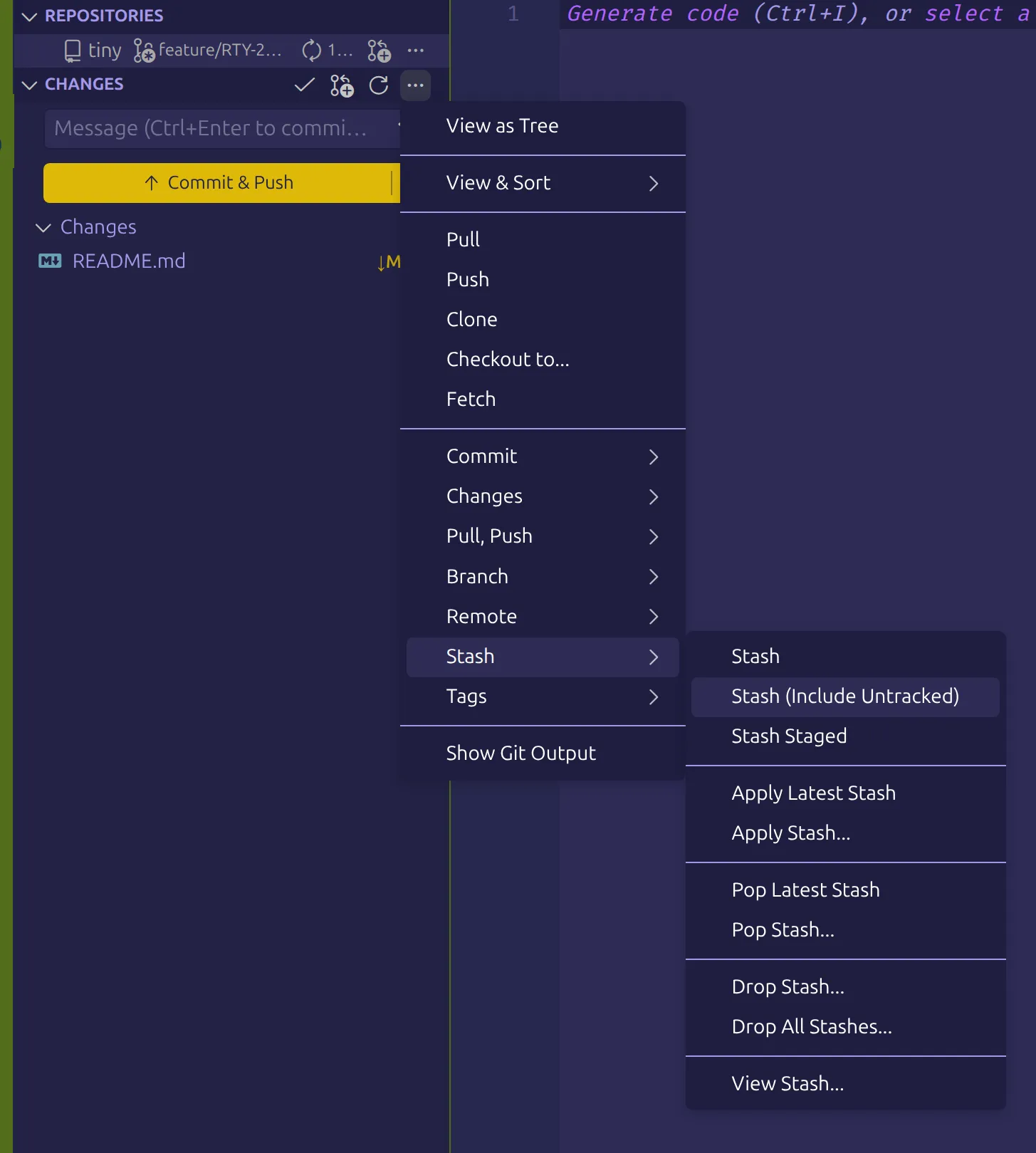
- it will ask to save as some name; keep any good name to remember
- now switch to another branch and apply the code using
...>Stash>Apply Stashand select your stash by the name you saved.
That’s all